Update: Apr 16, 2015

Size: 21.7MB Price: $29.95
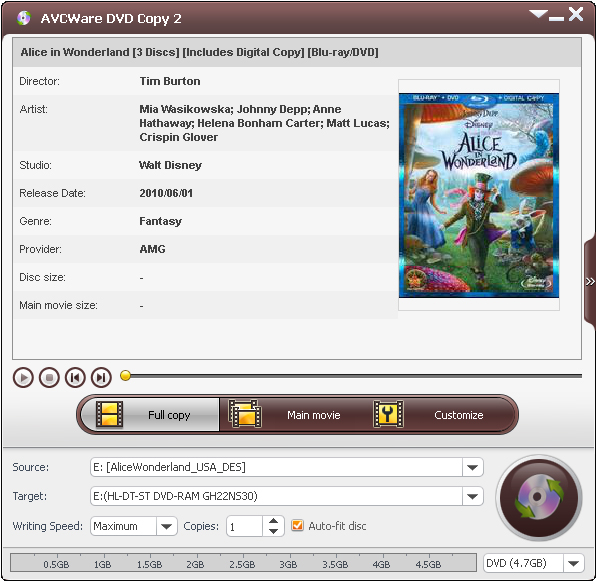
The most complete and cutting-edge AVCWare Home DVD Copy software, helps you to copy Home DVD movies from source to another disc in 1:1 ratio, backup Home DVD discs by converting Home DVD to ISO files or Home DVD folders to computer hard dirve, create quality Home DVD discs from Home DVD folder or ISO file.
Copy Home DVD movies in full disc or just copy main movies, only copy the titles you are interested to create personalized Home DVD movies on your own, compress DVD-9 movies to DVD-5 discs to save space usage, set audio and subtitle in different languages and etc.

Copy your favorite DVD movies in 1:1 ratio to other discs without quality loss.
Create ISO files/DVD folders from DVD discs for backup on computer.

Burn DVD discs from ISO files or DVD folders on your hard disk in fast speed and great excellence.
| OS | Microsoft® Windows XP (SP2 or later), Windows Vista, Windows 7, Windows 8, Windows 10 |
|---|---|
| Processor | 1GHz Intel/AMD processor or above |
| RAM | 256MB RAM (512MB or above recommended) |
| Free Hard Disk | 30MB space for installation (10GB or more for temporary files) |
| Graphic Card | Super VGA (800×600) resolution, 16-bit graphics card or higher |
| Other | Recordable DVD drive |